
¶ AMAN for En-route Controllers (ACC)
Before using this page, read the AMAN — Controller Guide. It explains the AMAN display, flight status, ΔC, ΔT, delay colours, the header, and the timeline symbols.
This page only describes the functions used by en-route controllers.
¶ Your Objective
Your objective is to ensure that each aircraft crosses its IAF at the time assigned by AMAN.
The aircraft's ΔC value shows how many minutes of delay you should absorb before the aircraft reaches the IAF. The approach controller will absorb any remaining delay.
¶ Accessing AMAN
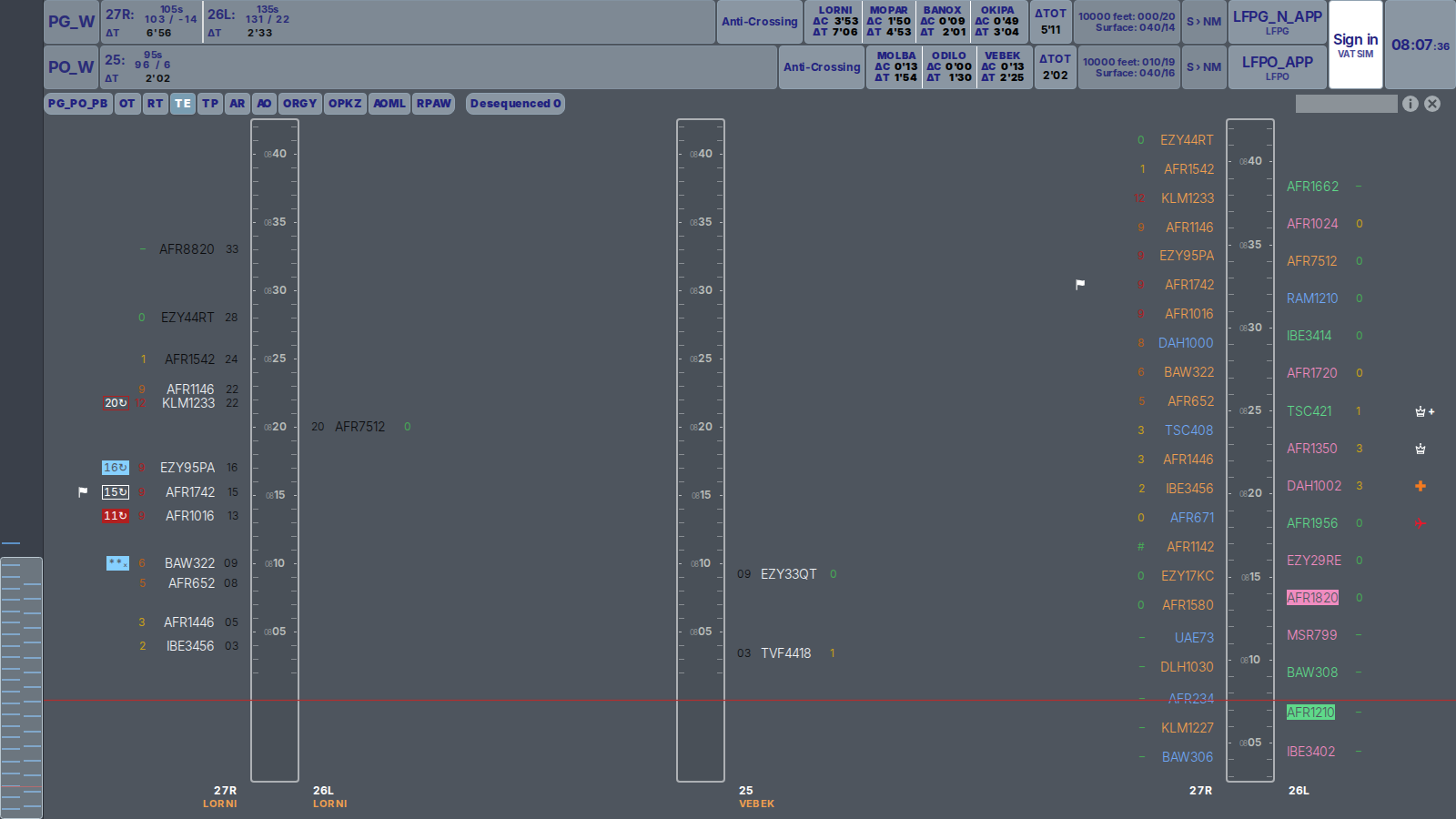
Paris ACC controllers use the Paris En-route page:
https://aman-vatsim.lunair.fr/par
Each tab represents a group of sectors and only displays aircraft using the relevant IAFs. For example:
TEdisplays arrivals via LORNI and VEBEK.RTdisplays arrivals via BANOX.PG_PO_PBdisplays all arrivals.
Toulouse and Nice do not currently have dedicated en-route pages. Controllers should use the relevant airport page instead.
¶ Understanding the Timelines
Depending on the selected tab, AMAN displays up to three timelines.
¶ Sector timelines
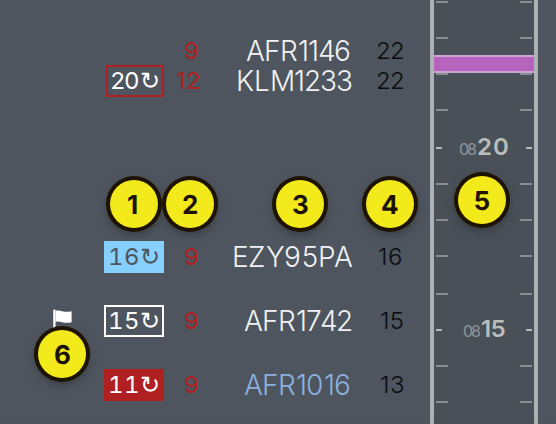
The CDG and Orly sector timelines only display aircraft using the IAFs managed by your sectors.
Aircraft are positioned according to their planned IAF time. The time shown on the timeline therefore represents the time at which the aircraft should cross the IAF.
For CDG arrivals:
- Arrivals for the northern runways are displayed on the left.
- Arrivals for the southern runways are displayed on the right.
For Orly arrivals, all aircraft are displayed on the right.
Each aircraft entry shows:
- The EAT, when applicable
- The ΔC value
- The callsign, coloured according to the flight status
- The planned IAF time, displayed next to the timeline
¶ Overview timeline
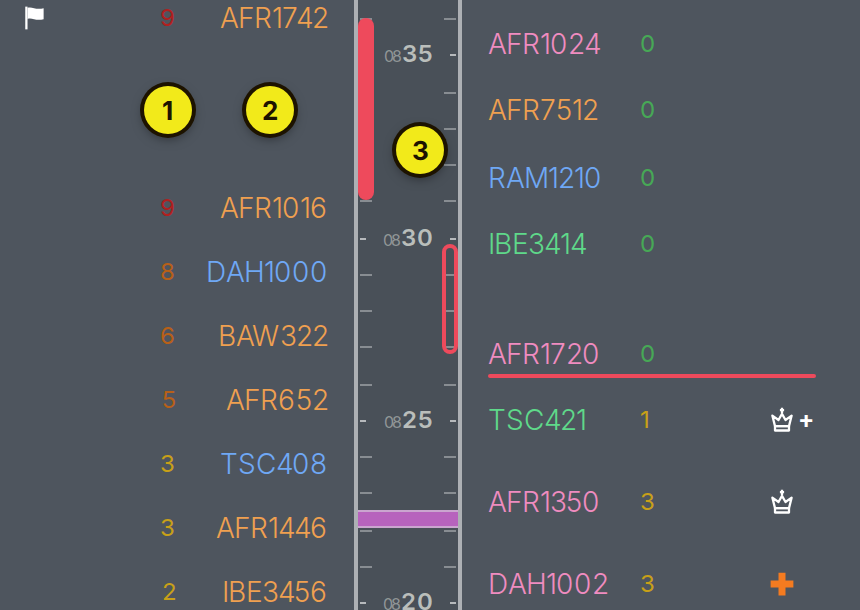
The overview timeline displays the complete CDG or Orly arrival sequence.
Aircraft are positioned according to their planned landing time. This allows you to see where the aircraft under your control fits into the overall arrival sequence.
Callsigns are coloured according to their IAF:
- Orange: LORNI and VEBEK
- Blue: MOPAR
- Green: BANOX and ODILO
- Pink: OKIPA and MOLBA
¶ Using ΔC
Use the aircraft's ΔC value to decide how much delay must be absorbed before the IAF.
- While the callsign is black, the ΔC value continues to change with the aircraft's estimated arrival time. Start absorbing delay early, but be prepared for the value to change.
- Once the callsign turns grey, the IAF time is fixed. You should now use it as your target crossing time.
- The ΔC value in the header shows the average en-route delay for each IAF during the next 40 minutes. It provides a quick indication of the expected workload.
¶ Holding Stack Open
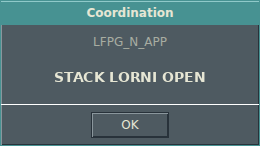
When approach opens a holding stack, the sequencer may send the following message:
STACK <IAF> OUVERT
To receive this message, you must:
- Be signed in to the AMAN page using your VATSIM account
- Be connected to VATSIM with your sector callsign
- Keep the AMAN page open
¶ Expected Approach Time (EAT)
When an aircraft is expected to enter a holding stack, the sequencer sends an EAT.
In this context, the EAT is the time at which the aircraft is expected to leave the holding stack.
The EAT is automatically entered into CoFrance and is displayed next to the aircraft's ΔC value.
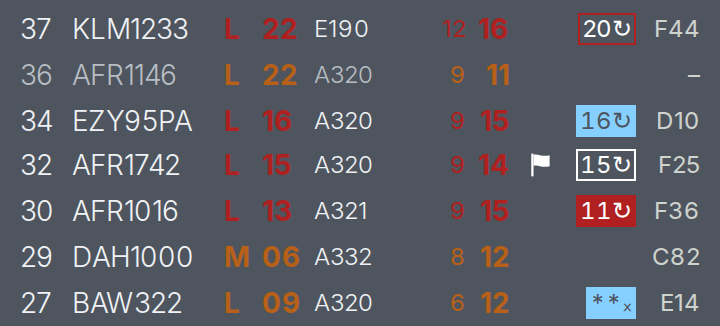
The EAT is removed automatically after the aircraft leaves the holding stack.
Only the sequencer can send, update, or delete an EAT. If an EAT appears incorrect, contact the sequencer.