
¶ Operations at A-CDM Aerodromes
¶ Applicability
The procedures in this chapter apply at the following A-CDM aerodromes:
Controllers should apply A-CDM procedures whenever traffic levels and workload permit. During events, these procedures shall be applied at all designated aerodromes.
Do not suspend A-CDM procedures, disable the CDM sequence or revert to non-A-CDM operations during an event unless instructed by the Flow Management Position (FMP). If a problem affects the CDM operation, coordinate with the FMP and continue applying the current sequence until further instruction.
This chapter is an operational checklist. For the meaning and calculation of EOBT, TOBT, EXOT, TSAT, TTOT and the actual milestone times, refer to A-CDM Concept. For ATFCM regulations and CTOT principles, refer to ATFCM Concept.
¶ Connecting to the CDM Interface
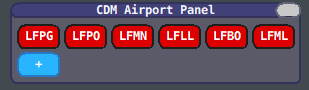
The controller responsible for issuing IFR clearances shall connect to the CDM system as MASTER by selecting the applicable ICAO code in the CDM Airport Panel.
Only one controller may be connected as MASTER for each aerodrome at any time.
¶ Transfer of CDM Responsibility
To transfer the MASTER role:
-
The current MASTER shall enter
.cdm slave. -
The receiving controller shall wait until the previous MASTER has disconnected.
-
The status colour in the CDM Airport Panel will change when the MASTER role becomes available.
-
The receiving controller shall connect as MASTER using either:
- The CDM Airport Panel; or
.cdm master ICAO, replacingICAOwith the applicable aerodrome code.
The receiving controller shall not attempt to connect as MASTER until the previous controller has released the role.
¶ Pilot Information
When A-CDM procedures are active, pilots should be instructed to submit or confirm their TOBT through the VDGS website.
This information should be provided through:
- The ATIS;
- Direct controller instructions where required; and
- A private message sent through the MSG column.
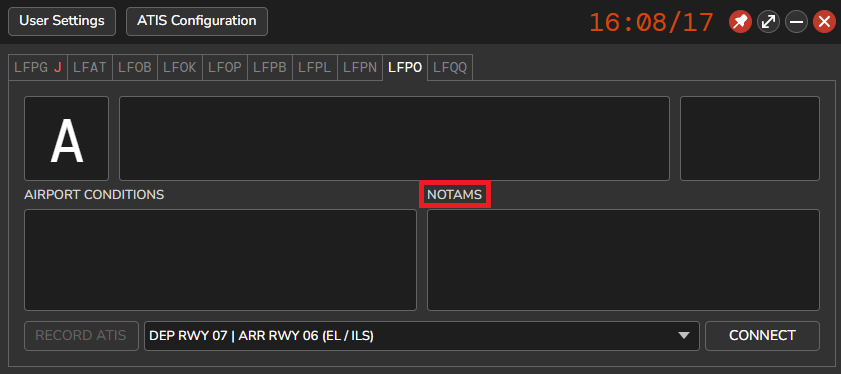
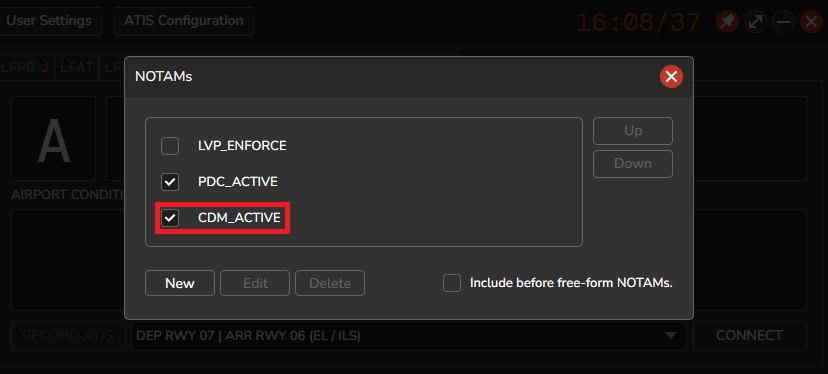
In vATIS, select the applicable predefined NOTAM in the NOTAM window to include the information in the ATIS.
Direct pilot notification
A-CDM depends on accurate and predictable readiness information. Controllers are strongly encouraged to use the MSG column in the Start-Up List to inform pilots of the active procedures.
A private message should be sent when a pilot has received an IFR clearance but has not submitted or confirmed a TOBT.
¶ Start-Up List Items
The following table describes each list item:
- Items shown in grey are hidden by default.
¶ IFR Clearance

The Clearance Delivery controller shall issue the IFR clearance in accordance with the standard procedure, with the following exception:
Start-up approval shall not be issued together with the IFR clearance.
Under A-CDM procedures, the Ground or Apron controller shall issue start-up approval within the applicable TSAT validity window.
Start-up approval will normally be issued together with:
- Pushback approval; or
- Taxi clearance for an aircraft parked at a self-manoeuvring stand.
After issuing the IFR clearance, the Clearance Delivery controller shall verify that the pilot has confirmed the TOBT.
Important
Do not select the Start Up status after issuing the IFR clearance.
This status shall only be selected after the pilot has reported ready and start-up has been approved by the Ground or Apron controller.
¶ TOBT Management
¶ Submission and Confirmation
The EOBT filed in the flight plan is initially used as the TOBT.
The pilot shall then use the VDGS website to:
- Confirm the existing TOBT; or
- Submit a revised TOBT if the expected readiness time changes.
A confirmed TOBT receives higher priority within the CDM system.
The pilot should revise the TOBT as soon as it becomes apparent that the aircraft will not be ready at the previously submitted time.
¶ TOBT Source
The BY column indicates the source and confirmation status of the TOBT:

¶ Start-Up Management: Clearance Delivery
The TSAT displayed in the Start-Up List changes colour according to its current status.
A TSAT is generated 35 minutes before the E/TOBT. In the absence of operational constraints, the TSAT will normally be the same as the TOBT.
Before a TSAT has been generated, a ~ is displayed in the TSAT column. Wait for a calculated TSAT before applying the start-up sequence.
The pilot shall request start-up within the applicable start-up approval window.
Missed start-up window
If the pilot is not ready within the applicable start-up approval window, the flight loses its current CDM sequence position.
The pilot shall request a new TSAT through either:
• The VDGS website; or
• The Clearance Delivery frequency.
Any delay resulting from the pilot’s failure to report ready within the assigned window is not attributable to ATC.
Where workload permits, the controller may coordinate a new TSAT. Otherwise, priority shall be given to aircraft that are ready within their assigned start-up approval window.
¶ Start-Up Management: Ground and Apron
¶ Transfer from Delivery to Ground/Apron
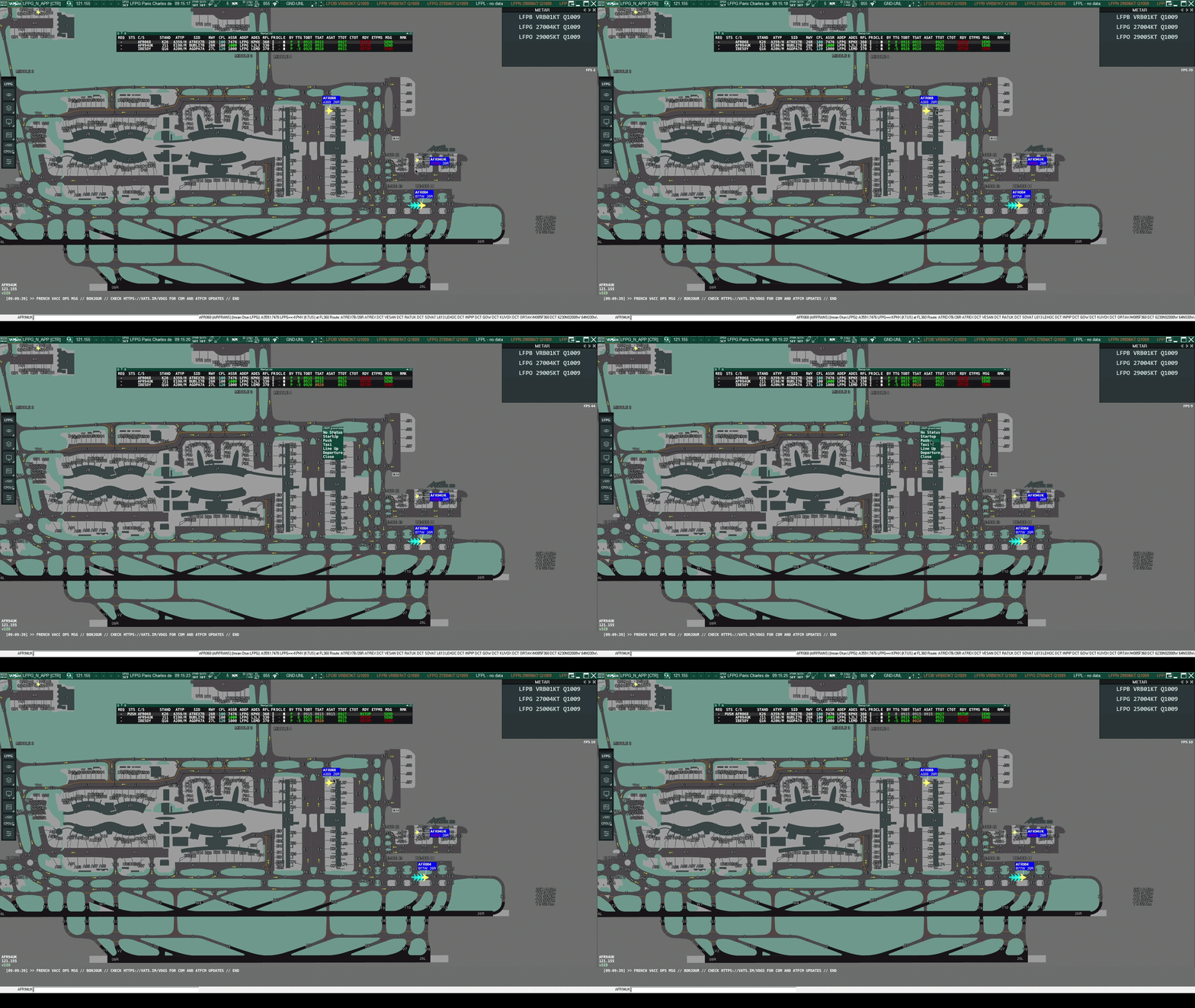
When an aircraft reports ready within its valid TSAT window, the Clearance Delivery Controller shall select RDY turning the RDY status from RED to GREEN and immediately transfer the aircraft to the next appropriate frequency.
The RDY status is displayed in the receiving controller’s vSMR tag, confirming that the aircraft has been released for start-up. To maintain an orderly traffic flow, the status shall be applied at the same time as the frequency transfer.
¶ On the Ground/Apron Frequency
The Apron or Ground Controller will normally receive departing aircraft from Clearance Delivery during, or shortly before, the applicable start-up approval window. A green RDY indicator on the vSMR tag confirms that the aircraft has been released.
If an aircraft calls without a green RDY indicator, the receiving controller shall coordinate with Clearance Delivery to determine whether the status was omitted or the aircraft has not yet been released.
Once the release has been confirmed, the receiving controller shall:
- Verify that the aircraft is within the applicable TSAT window;
- Approve start-up;
- Approve pushback where required; and
- Update the flight status in EuroScope.
¶ Specific Procedures
¶ Ready Message
A Ready (REA) message may be submitted only when an aircraft subject to a CTOT is fully ready for departure. The currently displayed CTOT remains applicable unless it is revised or cancelled.

An REA message may be submitted by:
- Left-clicking the TOBT column and selecting READY TOBT; or
- Having the pilot select the ready status through the VDGS website.
The REA message shall only be submitted when the aircraft is fully ready to depart.
Submitting an REA message does not authorise the aircraft to depart outside the currently valid CTOT tolerance window.
For the effect of an REA message on the ATFCM process, refer to ATFCM Concept.
¶ Missed CTOT
If the aircraft can no longer take off within its current CTOT tolerance window:
- Do not issue a take-off clearance outside the current window.
- Right-click the CTOT column.
- Submit the required updated TOBT to request a revised CTOT.
- Wait for the new CTOT and the resulting CDM sequence recalculation.
- Verify the revised TSAT and TTOT before approving or continuing the departure sequence.
- Plan the take-off within the new CTOT tolerance window.
The aircraft shall not take off until a valid CTOT and associated tolerance window are available.
¶ Low-Visibility Operations
Low-visibility operations require a reduced departure rate because increased separation and runway protection measures apply.
The applicable departure rate depends on the active runway configuration.
Use the following command to enable or disable LVO mode:
.cdm lvo
Before enabling LVO mode, verify that the correct runway configuration is selected in EuroScope.
¶ De-Icing
During winter operations for example at Paris Charles de Gaulle (LFPG), remote or on-stand de-icing may increase the time required between off-block and take-off.
The CDM plugin can include this additional time when calculating the departure sequence.
¶ Enabling the DEICE Column
To display the DEICE column:
- Select the small F button in the upper-left corner of the Start-Up List.
- Enable the DEICE column.
- Select the applicable remote de-icing facility or on-stand de-icing option for each affected aircraft.
The plugin will add the applicable de-icing time to the standard taxi time.
Operational requirement
Enter the de-icing status as soon as it becomes known. This allows the system to calculate a more accurate TSAT and TTOT, improves runway-demand prediction, and reduces the risk of the aircraft missing an assigned CTOT.
Selecting a de-icing option does not modify the CTOT itself.
¶ Runway Configuration Change
When changing the departure runway configuration, add the new runways in the Runway Assignment dialog without immediately removing the previous runways.
- Reassign each departure to the appropriate new runway, working in TSAT sequence.
- Coordinate with the Sequencer to determine the earliest time at which departures may begin from each new runway.
- Apply a custom departure delay using the coordinated time.
- Allow the CDM system several seconds to recalculate the departure sequence.
- Verify that all affected flights have been assigned to the new runways.
- Remove the previous runways from the Runway Assignment dialog.
Coordination requirement
The new departure runway may not be available immediately. Tower may first need to accommodate arrival traffic operating under the previous configuration.
Use the earliest coordinated departure time as the custom departure delay.
¶ Custom Departure Delay
.cdm departuredelay {ICAO}/{RUNWAY} {START_TIME}
Example:
.cdm departuredelay LFPG/27L 1345
This prevents the system from calculating a TTOT for runway 27L before 13:45 UTC.
Apply the custom departure delay after affected aircraft have been reassigned and before removing the previous runway configuration.
¶ CDM Plugin Commands
All command times shall be entered in four-digit UTC format (HHMM).
¶ Connect as MASTER
.cdm master {ICAO}
Connects the controller as CDM MASTER for the specified aerodrome.
Example:
.cdm master LFPG
¶ Release the MASTER Role
.cdm slave
Disconnects the controller from the MASTER role and allows another controller to take responsibility.
¶ Set the Earliest TSAT
.cdm startupdelay {ICAO}/{RUNWAY} {START_TIME}
Prevents the system from calculating a TSAT before the specified time.
Example:
.cdm startupdelay LFPG/27L 1100
The earliest TSAT for runway 27L will be 11:00 UTC.
¶ Set the Earliest TTOT
.cdm departuredelay {ICAO}/{RUNWAY} {START_TIME}
Prevents the system from calculating a TTOT before the specified time.
Example:
.cdm departuredelay LFPG/27L 1100
The earliest TTOT for runway 27L will be 11:00 UTC.
¶ Toggle Low-Visibility Operations
.cdm lvo
Enables or disables LVO mode.
¶ Toggle TSAT Scratchpad Remarks
.cdm remarks
Enables or disables the automatic insertion of the TSAT in the EuroScope scratchpad.
¶ Toggle CTOT Scratchpad Remarks
.cdm rmkctot
Enables or disables the automatic insertion of the CTOT in the EuroScope scratchpad.
¶ Recover CDM Data
.cdm recover {ICAO}
Attempts to restore the latest CDM times and flight statuses backed up on the server following a crash or disconnection.
Example:
.cdm recover LFPG
¶ Display Available Commands
.cdm help
Displays the available CDM plugin commands.